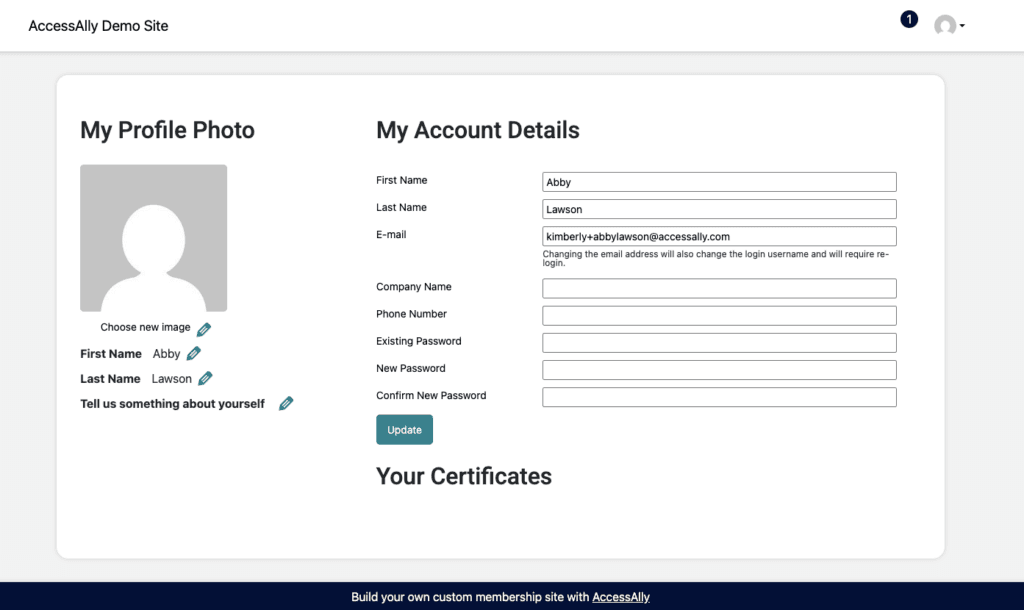
This article covers the steps to display a Certificate Download button on a page of your choice, like the My Account/Profile page. This is most often used to display all certificates earned for easy download from one central page on your site.
ARTICLE CONTENT:
Certificate Page
You’ll start with the page on your site that you uploaded your certificate to.
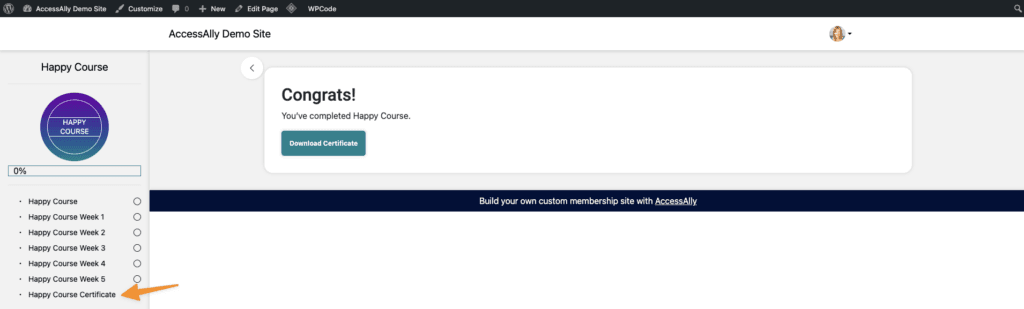
Select edit page in the top WordPress admin bar.

Note the post ID number in your browser bar.
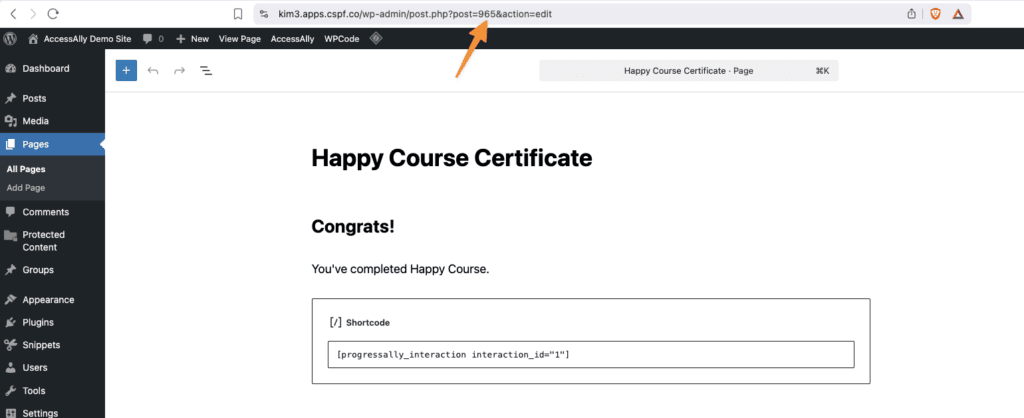
Also, note the page access tags, shown in the AccessAlly Permissions section.

My Account Page
Go to your My Account/Profile page to add the conditions to display the certificate.
Using the AccessAlly shortcode generator, create a “Conditional – has tag(s)” then add your page access tags.
This will show the certificate download button, only when a user can download the certificate.
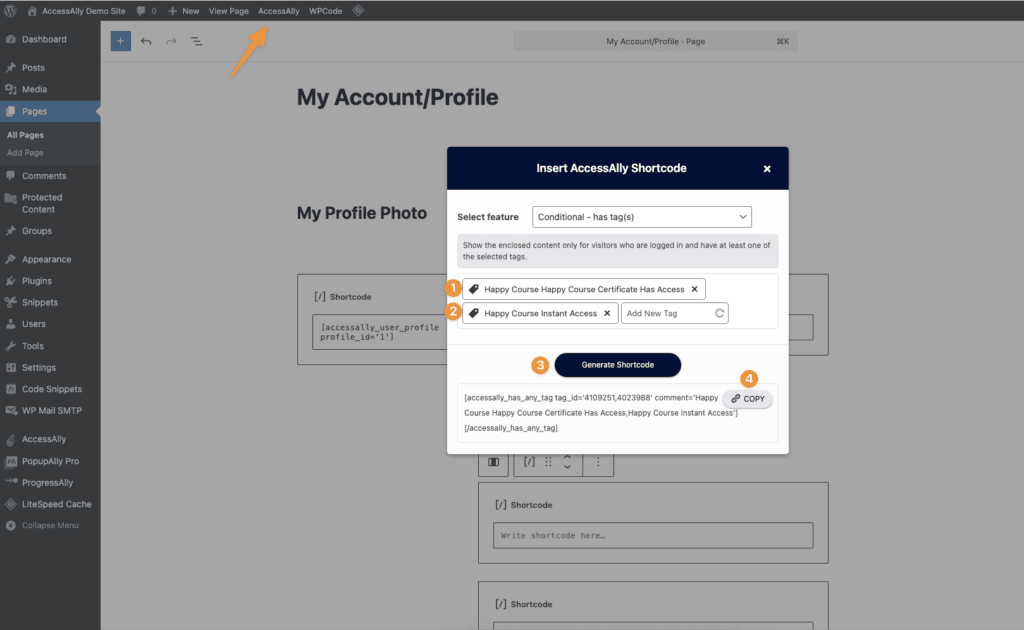
Example conditional shortcode generated below.
[accessally_has_any_tag tag_id='4023988,4109251' comment='Happy Course Instant Access,Happy Course Happy Course Certificate Has Access'][/accessally_has_any_tag]Next, use the AccessAlly Shortcode Generator, to get the shortcode for your certificate interaction. Note typing the post ID number will find the page to select from in the dropdown.
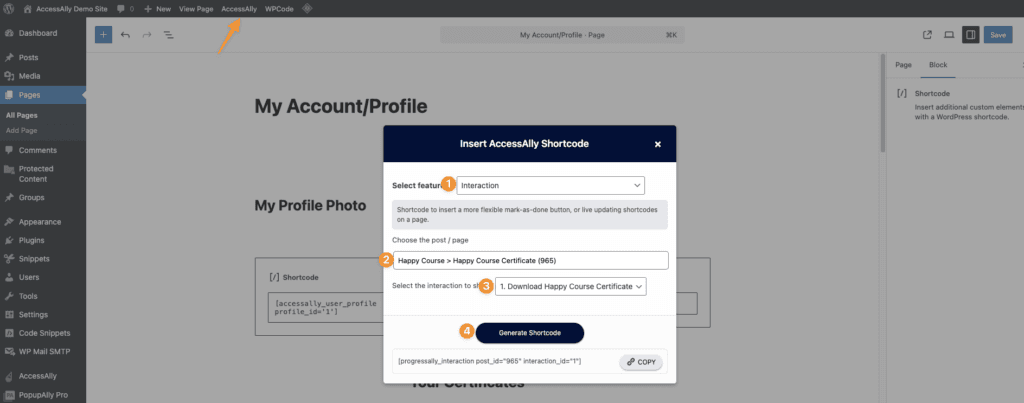
Example interaction shortcode generated below.
[progressally_interaction post_id="965" interaction_id="1"]Now combine these two codes, with the interaction in-between.
[accessally_has_any_tag tag_id='4023988,4109251' comment='Happy Course Instant Access,Happy Course Happy Course Certificate Has Access'][progressally_interaction post_id="965" interaction_id="1"][/accessally_has_any_tag]Paste this version on your page, using a shortcode block in Gutenberg. For 3rd party themes, use your desired block type, most often a text block, shortcode block, or raw HTML code block.
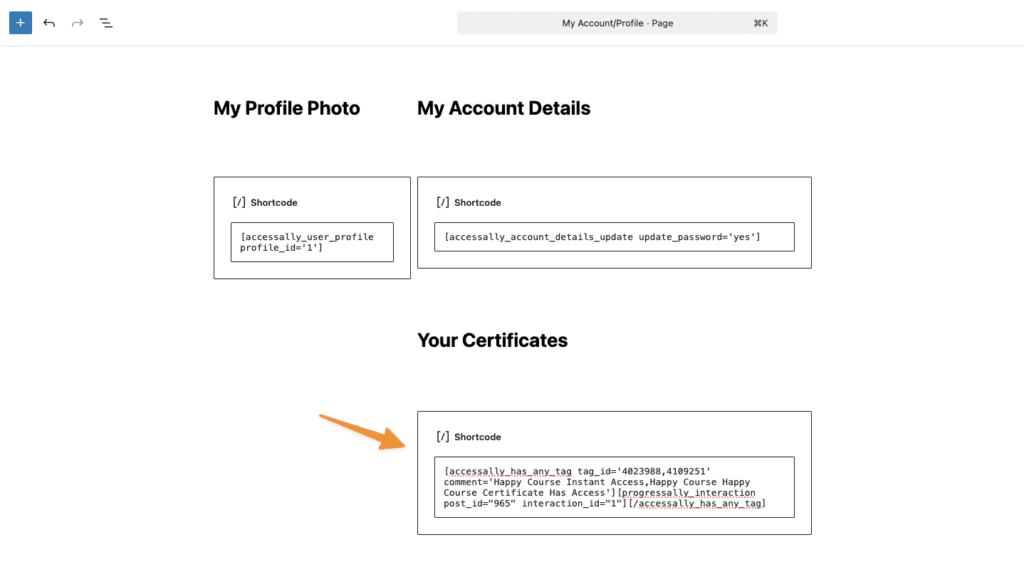
Test Display
To ensure your certificate is displayed, you can test with the User Switching plugin. There are two tests.
Test 1: A user on your site, that has access to the Certificate page. This user will see the Download Certificate button on the My Account/Profile page.
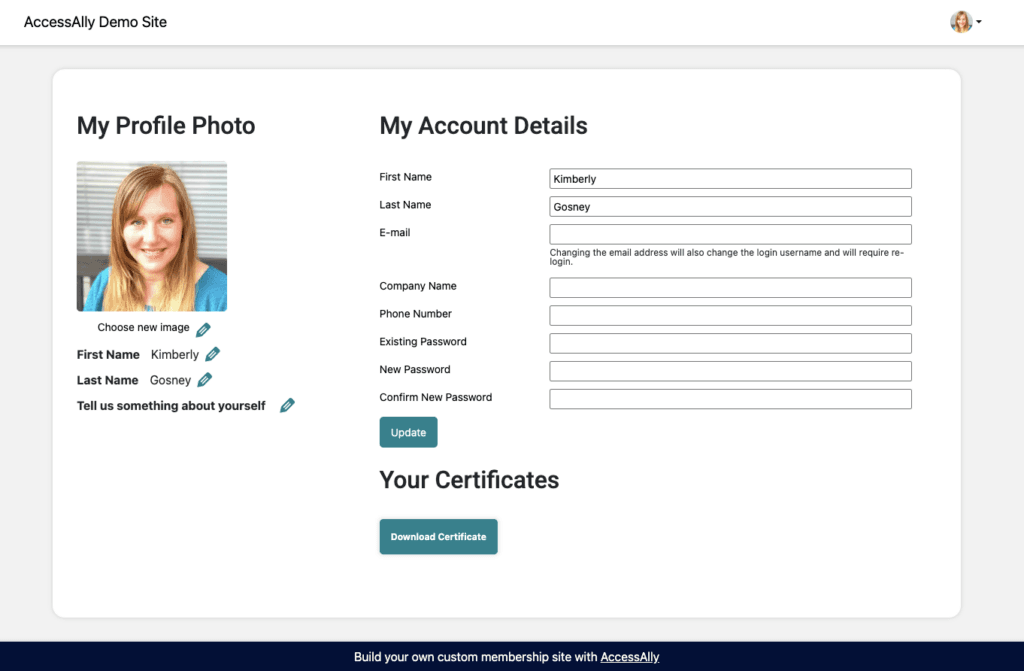
Test 2: A user on your site, that does not have access to the Certificate page. The download certificate button is hidden from view.